study tool
Study time tracker
what is a study time tracker?
A study time tracker adds up the hours you spend studying, per day, week and subject. This one runs in your browser: log a session with a subject and minutes, and it totals them. For automatic tracking, start a timer in Stuon and each session is logged for you.
by Vusal Imranli updated 14 Nov 20263 min read
- today
- 0m
- this week
- 0m
- logged here
- 0m
No sessions yet. Add one above to see totals by subject.
Track this automatically in Stuon
Saved in this browser only. Clearing site data removes it.
Keep a focus timer and site blocker in your Chrome toolbar.Add to Chrome, free
How to log study time
- Log right after the session. Memory rounds time up. Enter the minutes while the session is fresh.
- Count focused minutes only. Leave out breaks, phone checks and time spent setting up.
- Reuse subject names. Use "biology", not "bio" one day and "Biology notes" the next, or the totals will split.
- Review weekly. Compare the week's total with your plan from the study hours calculator.
What counts as study time?
Pick a rule and keep it. A common rule is that study time is time spent on a specific task with distractions closed. Reading while checking messages does not count; ten focused minutes do.
If you doubt your own numbers, read how to stop fake studying.
Study time tracker or study tracker?
This page is a manual log of hours. A study tracker is the wider idea: sessions, subjects, streaks and progress over time. A timer that logs automatically, like the one in Stuon, replaces the manual step.
Where your data is stored
Entries are saved in this browser only, using local storage. Nothing is sent to a server. Clearing your browser data removes the log, so download the CSV if you want a copy.
What Stuon users log
Aggregated and anonymised figures from Stuon. They describe how people use the app, not what works best for learning.
| Measure | Value |
|---|---|
| Median sessions per active week | 5 sessions |
| Median logged hours per active week | 5.1 hours |
| Median session length | 33.9 minutes |
Based on 145 Stuon users, updated 2026-10-12. Calculated from 4,316 aggregated Stuon sessions across users with at least 5 logged sessions. Excludes sessions under 5 minutes and known synthetic/test identifiers. An active week is a week in which a user logged at least one session. Aggregated, no individual data.
Frequently asked questions
How do I track how many hours I study?
Log each session with its length and subject, then add up the week. A timer that records sessions automatically makes this easier. See how to track study hours.
Does this tracker save my data online?
No. Entries stay in your browser. To sync across devices, use Stuon.
Can I export my study log?
Yes. Use "Download CSV" to get a file with the date, subject and minutes of each session.
Why are my subject totals split?
Subject names must match exactly. "Biology" and "biology notes" are counted as two subjects.
Related pages
Track this automatically
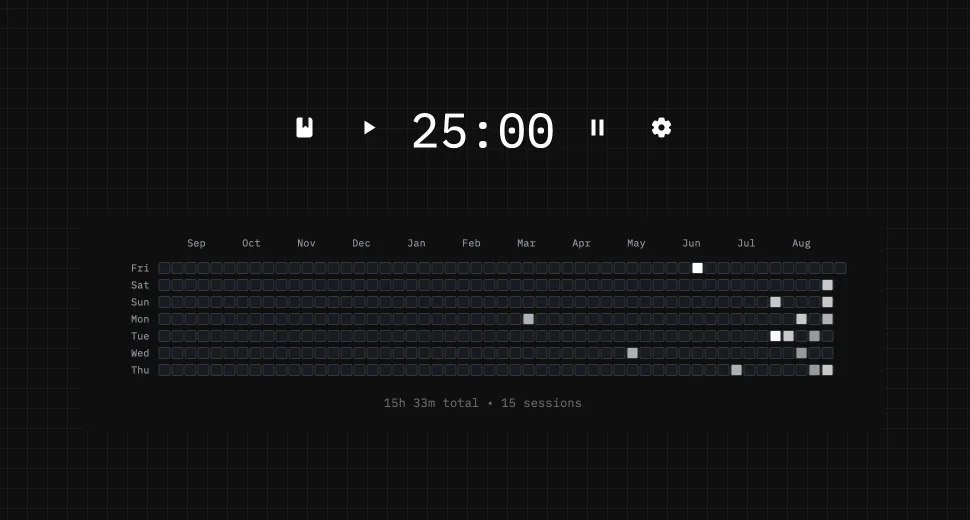
Stuon records the time for you and turns it into a streak, a heatmap and weekly totals.
Start tracking for freeAdd to Chrome, freeor use the free version without an account