Flashcards
Review with active recall and keep your practice inside the same study workspace.
free study tracker
what is Stuon Free?
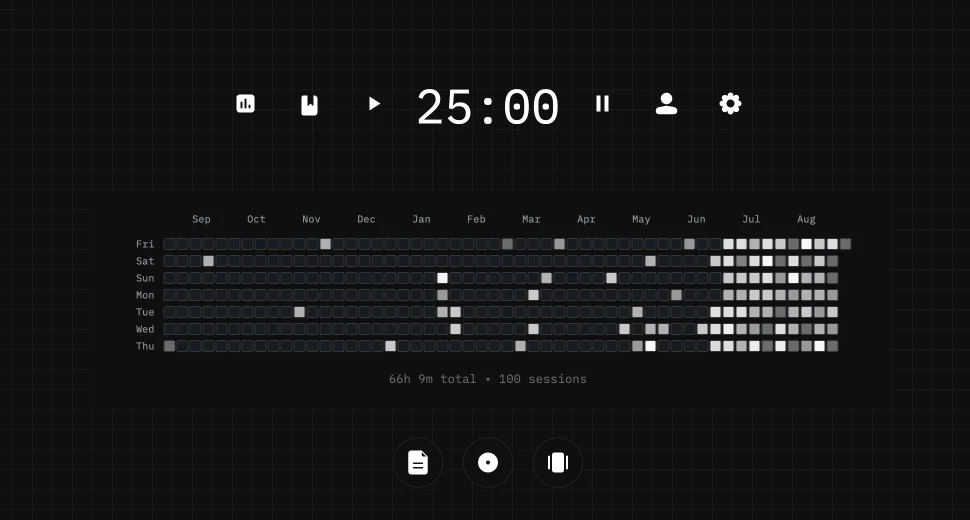
Stuon Free is a study timer that keeps a record. Pick a length or use the stopwatch, press Start, and when you stop, the session is saved to your log and shades today on a year heatmap. No account, and nothing leaves your browser.
by Vusal Imranli updated 14 Nov 20264 min read
Settings
focus
25:00
Pick a length and press Start. Sessions save to this browser.
Your study year
last 52 weeks
No sessions yet. Your first one shades today's square.
Session log
No sessions in this period yet.
Saved in this browser only. Clearing site data deletes it. Stuon accounts sync across devices.
Keep a focus timer and site blocker in your Chrome toolbar.Add to Chrome, free
Sessions are stored in this browser with the date, start time, length, and your note. Nothing is sent to a server, so clearing site data or switching browsers starts a fresh log. Use Download CSV to keep a copy.
Sessions shorter than ten seconds are not saved, so an accidental click does not add a square. The heatmap shows the last 52 weeks; older sessions stay in the log and the CSV.
For a fixed work and break rhythm, use the Pomodoro timer. To understand the grid, see how a study heatmap works.
No. The timer, session log and heatmap work without signing up. Your sessions are stored in your browser on this device.
No. Data on this page stays in the browser where you recorded it, and clearing site data removes it. A Stuon account syncs across devices.
Yes. Press Edit next to any session in the log to change its date, length, description or notes, or to delete it.
Yes. Download CSV saves every session with its date, start time, minutes and notes, ready for a spreadsheet.
Stuon saves each session to your account, so your streak and heatmap follow you between laptop and phone.
Stuon Pro
Finish the timer here, then bring the session into Stuon. Pro adds active study modes, cloud sync, analytics, goals, projects, and richer progress tracking.
Review with active recall and keep your practice inside the same study workspace.
Write everything you remember, expose the gaps, and review the topic again.
Sketch diagrams, maps, and visual explanations without leaving your focus session.
Stuon Pro · lifetime
Unlock Flashcards, Blurting, Drawing, analytics, cloud sync, goals, projects, and Pro focus modes.