Flashcards
Review with active recall and keep your practice inside the same study workspace.
Settings
Keep a focus timer and site blocker in your Chrome toolbar.Add to Chrome, free
timed exam practice
how do you practise with an exam timer?
Set the timer to the exact time allowed for the paper or section you are practising, start it when you turn the first page, and stop writing when it ends. The default is 60 minutes. Afterwards, mark the paper while your choices are still fresh and note where time ran short.
by Vusal Imranli updated 14 Nov 20264 min read
A practice paper only tells you about exam readiness when the time limit is the same as on the day. Check the official specification for the paper you are sitting and copy its timing, including any separate reading time. If a three-hour paper is split into sections, practise one section at a time with the section allowance rather than an arbitrary hour.
For entrance exams with fixed section timings, the SAT study plan, MCAT study plan and IELTS study plan show how timed sections fit into a weekly routine. Always confirm current timings with the exam body, because formats change.
Divide the time by the marks or questions to get a pace, then write two or three checkpoints in the margin. On a 60-minute paper worth 60 marks, roughly one minute per mark means you should be near question 30 when the clock shows 30 minutes left. Glance at the timer only at those checkpoints, not after every question.
Marking within the same study session shows you the difference between what you knew and what you managed to write under time pressure. Use the official mark scheme and sort every lost mark into one of three groups: did not know it, knew it but ran out of time, or knew it but made a careless error. Each group needs a different fix.
Topics you did not know go back into active recall and spaced repetition. Time losses call for more timed sections. Careless errors call for a checking routine in the final minutes.
Early in revision, timed single sections are more useful than full papers, because you can practise more topics and review faster. In the final weeks, sit complete papers in one go so you also practise concentration over the full length. To see how many days you have left for that switch, use the exam date countdown.
Only if the real exam has separate reading time. Set it as its own short countdown first, then start the writing time, so your practice matches the day.
Draw a line where the time ended and finish the paper afterwards in a different colour. Mark both parts, so you can see how many marks the time limit cost you.
Start with one or two timed sections a week and increase as the exam gets closer. The how to study for exams guide covers the full plan.
No. This page times a practice paper in minutes. The exam date countdown shows the days and hours left until the exam itself.
This page does not store anything. In Stuon every session is logged and added to your streak and heatmap.
Save your study sessionsAdd to Chrome, freeor use the free version without an account
Stuon Pro
Finish the timer here, then bring the session into Stuon. Pro adds active study modes, cloud sync, analytics, goals, projects, and richer progress tracking.
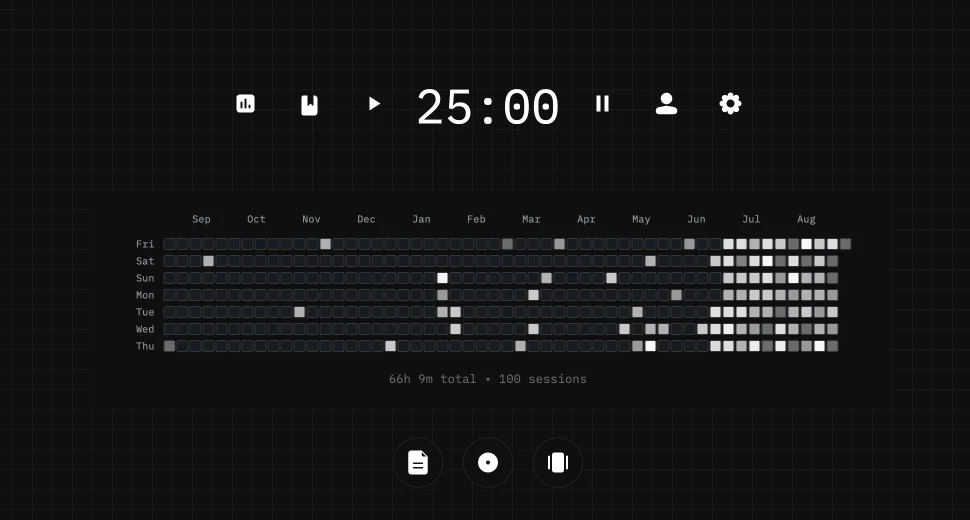
Review with active recall and keep your practice inside the same study workspace.
Write everything you remember, expose the gaps, and review the topic again.
Sketch diagrams, maps, and visual explanations without leaving your focus session.
Stuon Pro · lifetime
Unlock Flashcards, Blurting, Drawing, analytics, cloud sync, goals, projects, and Pro focus modes.