Flashcards
Review with active recall and keep your practice inside the same study workspace.
Settings
Keep a focus timer and site blocker in your Chrome toolbar.Add to Chrome, free
low-friction focus timer
how can a timer help when starting is hard?
A short timer lowers the cost of beginning: committing to 10 minutes on one small, visible action is easier than committing to "study chemistry". The countdown acts as an outside reminder of time. When it ends, you can stop, or start another short block if the work is moving. This is a study aid, not a treatment.
by Vusal Imranli updated 14 Nov 20263 min read
Many people who find starting hard are not short of motivation; the first step is simply too large or too vague. Shrink it until it is physical and obvious: "open the worksheet", "write the title", "read the first question aloud". A step that small is hard to argue with, and finishing it often carries you into the next one.
If 10 minutes still feels like too much, start with the 2-minute timer or the 5-minute timer and treat any work done as a win.
Write the current action on a sticky note or a piece of paper beside the screen, not only in your head or in another app. When your attention drifts, the note answers "what was I doing?" without needing to rebuild the plan. Cross it out when it is done and write the next one.
Body doubling means working while someone else is present and also working, in the same room or on a video call. Some people find that another person quietly studying makes it easier to begin and to stay with a task. You can pair this timer with a friend: both start the countdown together and say what you finished when it ends. Stuon also has study groups for working alongside others.
Interruptions and drifting are normal. What matters is how quickly you come back. When the timer ends or you notice you have wandered off, do not judge the block; write one line about what happened and pick the next small action. Several short blocks with honest restarts add up to real study time, which you can see later in a study time tracker.
The how to focus while studying guide has more ways to reduce distractions around the desk.
It is a general timer set up around short blocks and visible tasks, which many people with attention difficulties find useful. It does not diagnose or treat anything; follow advice from your own clinician.
Use the length you can start right now. That may be 2, 5 or 10 minutes. Lengthen blocks only after several in a row feel manageable.
Pause the timer, note what pulled you away, and restart with the same small action. A restarted block still counts.
Yes. Full screen hides other tabs from view, which helps when visual clutter pulls attention away.
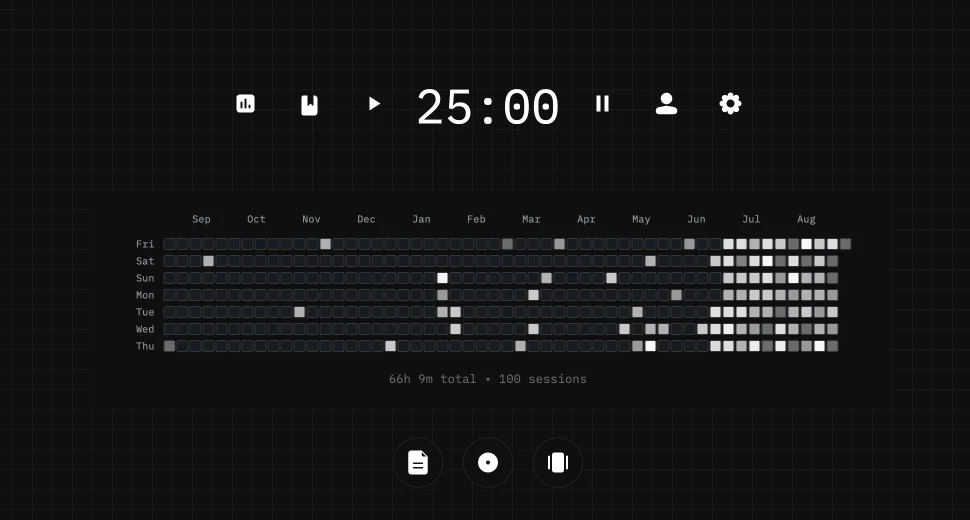
This page does not store anything. In Stuon every session is logged and added to your streak and heatmap.
Save your study sessionsAdd to Chrome, freeor use the free version without an account
Stuon Pro
Finish the timer here, then bring the session into Stuon. Pro adds active study modes, cloud sync, analytics, goals, projects, and richer progress tracking.
Review with active recall and keep your practice inside the same study workspace.
Write everything you remember, expose the gaps, and review the topic again.
Sketch diagrams, maps, and visual explanations without leaving your focus session.
Stuon Pro · lifetime
Unlock Flashcards, Blurting, Drawing, analytics, cloud sync, goals, projects, and Pro focus modes.