comparison
Stuon extension vs BlockSite
how do they differ?
BlockSite is a general website blocker with a block list, schedules, a Pomodoro-style focus mode and password protection. The Stuon extension is a study timer first, with a blocker tied to your focus sessions and a strict mode, and it saves every session to your Stuon heatmap. Pick BlockSite for schedules and Stuon to block and track study together.
by Vusal Imranli updated 14 Nov 20263 min read
Side-by-side comparison
| Criteria | Stuon extension | BlockSite |
|---|---|---|
| Main job | Study timer and site blocker | Website blocker |
| Block list | Yes | Yes |
| Block by schedule | No. Blocks during focus or all the time. | Yes. Days and times. |
| Timer | Timer, Pomodoro and Stopwatch | Pomodoro-based focus mode |
| Lock against unblocking | Strict mode: password, confirmations and a typed phrase | Password protection. A school guide says it is a paid feature; check the listing. |
| Study tracking | Every session saved to a heatmap, streak and analytics | Not documented as a study log |
| Pricing | Free to install. Needs a Stuon account. | Free, with a paid premium plan |
Facts about BlockSite were checked against its public website and app store listing on 7 October 2026. Features and prices change, so confirm on the official page before you decide.
What BlockSite does well
- Scheduling: block sites on set days and hours, such as school mornings.
- A customisable blocked page and protection against uninstalling, according to its listing.
- It is focused on one job and widely used.
What the Stuon extension does well
- Blocking follows your study timer: sites close when a focus block starts and open in the break.
- It records study time. Sessions fill your study heatmap and streak.
- Strict mode adds friction without a fixed lock-out. See strict mode website blocker.
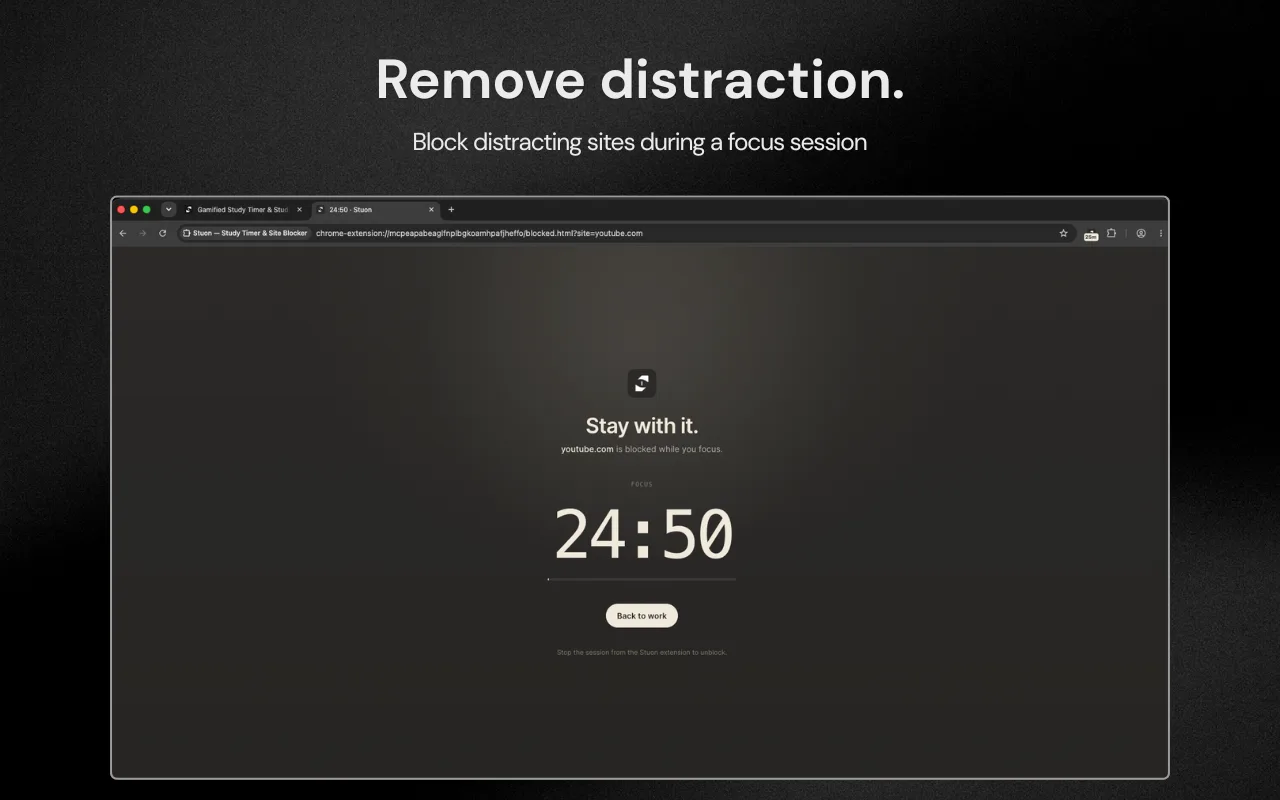
The main difference
BlockSite decides when sites are blocked by the clock. Stuon decides by whether you are studying right now. If your study hours are fixed, a schedule fits. If they change every day, tying blocking to the timer means you never have to update a schedule.
Which one should you choose?
Choose BlockSite if
- You want sites blocked on a fixed schedule.
- You only need a blocker, not a timer.
- You want a custom blocked page.
Choose Stuon if
- You want a timer and blocker in one extension.
- You want your study hours recorded.
- Your study times change from day to day.
Frequently asked questions
Can I use Stuon and BlockSite together?
Yes, but you rarely need both. Use one blocker so rules do not conflict.
Does Stuon block on a schedule?
No. It blocks during focus blocks, or all the time in Always and Strict modes.
Which is better for studying?
For blocking alone, both work. For seeing how much you studied, Stuon records it. See best website blockers for studying.
Sources
Related pages
Add Stuon to Chrome
Start a focus session from the toolbar, block the sites that pull you away, and watch every session land on your Stuon heatmap.