guide
How to block websites while studying
how do you block websites while studying?
Install a website blocker extension, add the sites that distract you most, and set it to block them whenever a study session is running. Tie blocking to a timer so sites reopen in your breaks, and use a strict mode for the sites you always give in to.
by Vusal Imranli updated 14 Nov 20264 min read
Step by step with the Stuon extension
- Install a blocker. Add the Stuon extension to Chrome and connect your account. Any blocker works for these steps, but Stuon ties blocking to your study timer.
- Make your list. Open Site blocker and add the sites you open without thinking. Stuon suggests common ones: YouTube, Instagram, TikTok, X, Reddit, Facebook, Netflix and Twitch.
- Choose a mode. Focus blocks only during focus blocks, Always blocks all the time, and Strict makes unblocking slow on purpose. Start with Focus.
- Turn the switch on. The switch next to Site blocker turns blocking on or off without deleting your list.
- Start a session. Start a Timer or Pomodoro session. Tabs already open on a blocked site switch to the blocked page.
- Review after a week. Add sites you caught yourself opening, and move repeat offenders to strict mode.
What a blocked site looks like
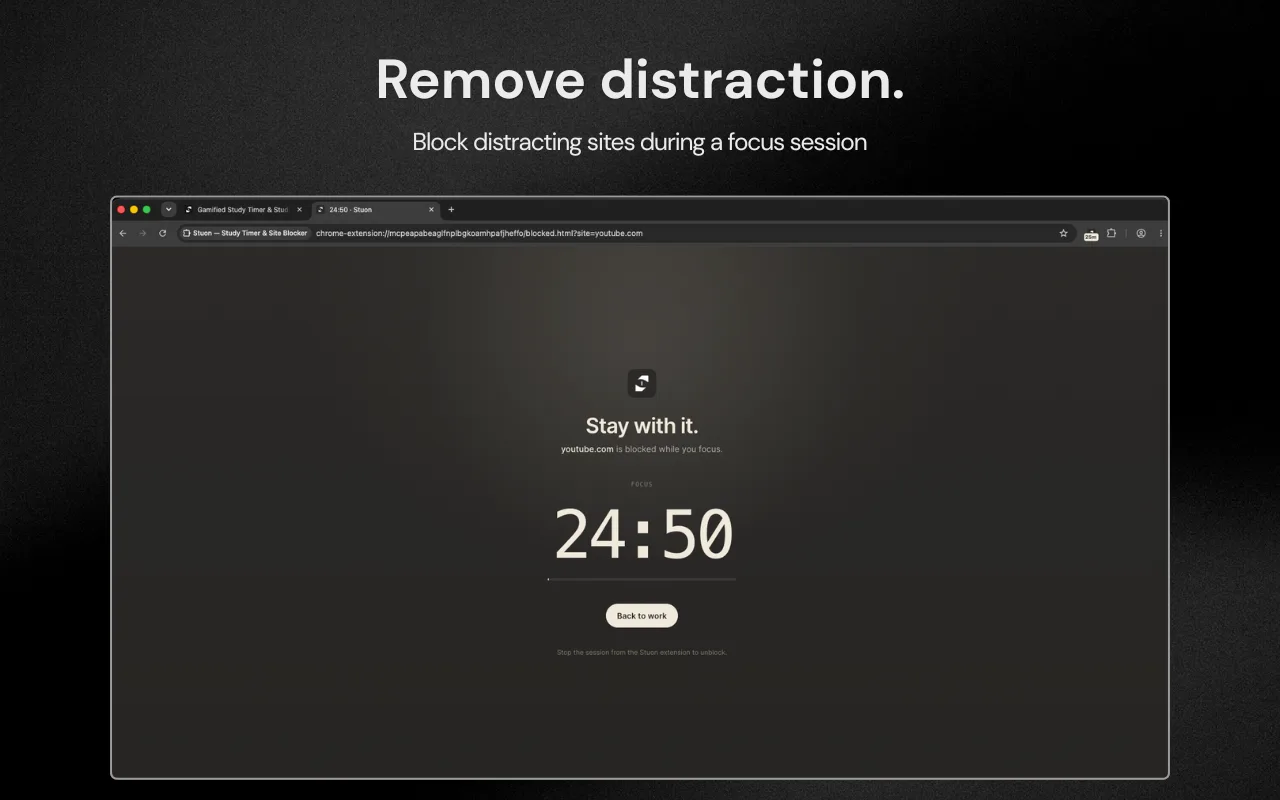
Instead of the site, you see a short message, the time left in the focus block and a Back to work button. In Focus mode the site opens again when the block ends or you stop the session.
Which block mode to choose
| Criteria | When sites are blocked | How to unblock | Good for |
|---|---|---|---|
| Focus | Only during a focus block. Breaks are open. | Stop the session or wait for the break. | Most students. Sites are a reward for finishing a block. |
| Always | All the time, timer or not. | Switch the blocker off or change mode. | Sites you want gone during exam season. |
| Strict | All the time. | Password, confirmations, then a typed phrase opens one site for 15 minutes. | Sites you always talk yourself into opening. |
See strict mode website blocker for the details of strict mode.
Which sites to block
- Feeds that never end: short video, social media and news.
- Video and streaming sites, unless the lecture is there. If you need one video, download or open it before you start, then block the site.
- Sites you open "for a second" to check something, such as shopping or sports scores.
- Leave the sites you need for the task open: your course platform, documents and reference sites.
Blocking removes the easy option. It does not create focus by itself. Pair it with a clear task and a timer, as in how to focus while studying.
Common mistakes
- Blocking everything on day one, then turning the blocker off by lunch. Start with three to five sites.
- Blocking sites but keeping the phone on the desk. The phone is often the bigger leak.
- Using strict mode for sites you sometimes need for class. Use Focus mode for those.
- Not tracking time. Without a study tracker, you cannot see whether blocking helped.
Frequently asked questions
Can I block YouTube only while I study?
Yes. Add youtube.com and use Focus mode. It is blocked during focus blocks and opens in breaks. See how to stop watching YouTube while studying.
Does blocking a site also block its subdomains?
Yes. Blocking a domain such as reddit.com covers its pages and subdomains, such as old.reddit.com.
Can I unblock a site in an emergency?
In Focus and Always modes you can switch the blocker off. In strict mode you need your password, the confirmations and the phrase, which opens that site for 15 minutes.
Is a website blocker enough to stop procrastination?
It helps with one cause: easy access. Unclear tasks and tiredness still matter. See how to stop fake studying.
Related pages
Add Stuon to Chrome
Start a focus session from the toolbar, block the sites that pull you away, and watch every session land on your Stuon heatmap.