free study tool
Weekly study planner
how do you make a weekly study plan?
List your fixed commitments first, then place study blocks in the free time, one subject per block. Spread each subject over several days rather than one long session, and check the weekly total per subject against what each one needs. Keep one block free for catching up.
by Vusal Imranli updated 10 Oct 20264 min read
Tap a block to place the subject. Tap it again to clear it. Use arrow keys and Enter on a keyboard.
Saved in this browser only. Nothing is uploaded.
use this result
Keep a focus timer and site blocker in your Chrome toolbar.Add to Chrome, free
How to use the planner
- Set the day. Choose when your study day starts and ends, and a block length: 30, 60 or 90 minutes.
- Type a subject. Write the subject in "subject to place". Subjects you have used appear as coloured buttons to pick again.
- Tap the blocks. Each tap places the subject; tapping a block with the same subject clears it. Arrow keys move between blocks.
- Check the totals. The list under the grid shows hours per subject for the week. Move blocks until the totals match your priorities.
- Print or export. Print the plan, print a blank one to fill in by hand, or download a CSV for a spreadsheet.
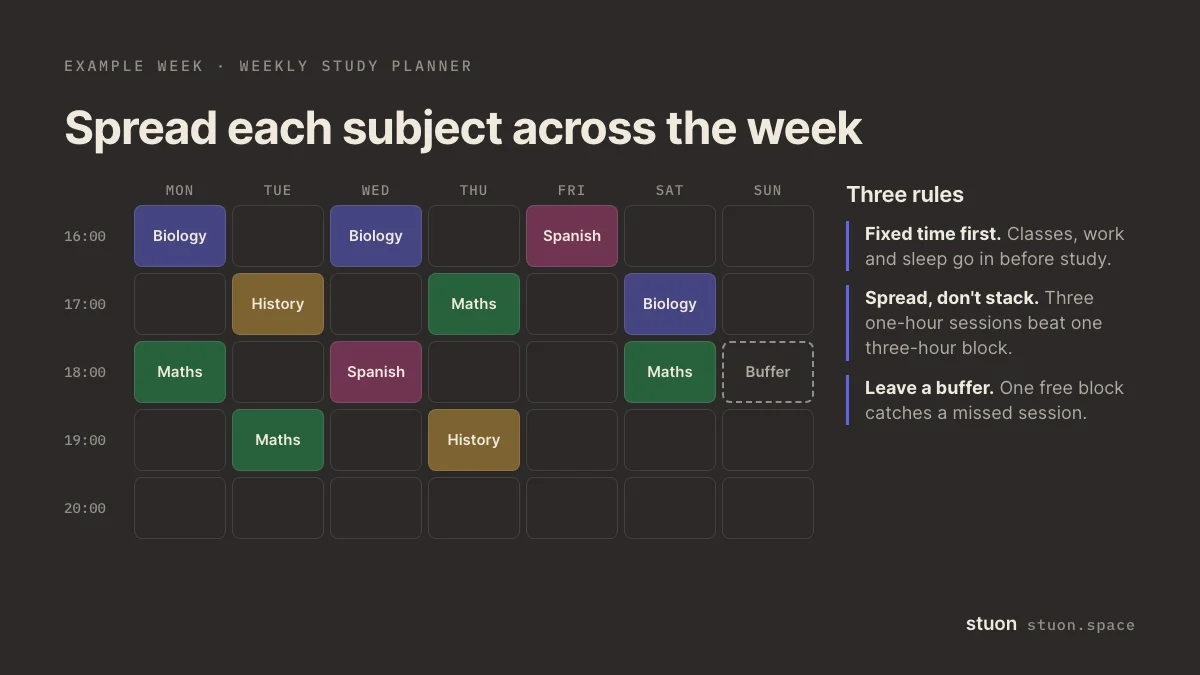
Rules for a plan you will keep
- Start from fixed time. Classes, work, travel and sleep go in first. A plan that ignores them fails by Wednesday.
- Spread each subject. Three one-hour sessions on different days beat one three-hour session for remembering, as the spacing research shows (Cepeda et al., 2006).
- Mix within a day. Two different subjects in a day give you a natural change and some interleaving.
- Put hard subjects at your best time. If your focus is best in the morning, give that slot to the subject you avoid.
- Leave a buffer. One free block a week absorbs a missed session without wrecking the plan.
- Plan tasks, not just subjects. "Biology: 20 practice questions on enzymes" tells you what to do when the block starts.
From plan to record
A plan says what you meant to do. Compare it with what you did. Log real sessions with a study timer or the study time tracker, and adjust next week's blocks to match how long tasks really take.
For an exam with several subjects, the revision timetable generator spreads subjects over the days left, and the study hours calculator turns hours per day into weekly totals.
Frequently asked questions
How many hours should I plan per week?
It depends on your courses and your exam dates. Start from what you can keep up and adjust. How many hours should I study covers how to set a number.
Can I print a blank weekly study planner?
Yes. Press Print a blank planner. It uses your start time, end time and block length, so set those first. Save it as a PDF from the print dialog if you want a file.
Is the plan saved?
Yes, in this browser. Clearing site data or using another device starts empty. Download the CSV to keep a copy.
Is my text uploaded?
No. The tool runs in your browser. Nothing you type is sent anywhere, and anything saved stays in this browser only.
Sources
Related pages
Track this automatically
Stuon records the time for you and turns it into a streak, a heatmap and weekly totals.
Start tracking for freeAdd to Chrome, freeor use the free version without an account