Flashcards
Review with active recall and keep your practice inside the same study workspace.
Settings
Keep a focus timer and site blocker in your Chrome toolbar.Add to Chrome, free
online timer
what is a 45 minute timer for?
This free 45 minute timer counts down from 45:00. Forty-five minutes is roughly one school lesson and suits tasks with a setup cost, such as writing, multi-step problems or coding. Plan a 10-minute break afterwards, then press Start.
by Vusal Imranli updated 14 Nov 20263 min read
Many tasks only become productive after a warm-up: you have to load the problem into your head before progress starts. A 45-minute block leaves about half an hour of real work after that warm-up, which is why it suits writing and problem solving. It also matches many lessons and exam sections, so practising at this length builds the stamina those settings need.
Leaving notifications on. Over 45 minutes a few interruptions add up, and each one costs a fresh warm-up. Silence the phone before you start, or block distracting sites with strict mode.
Take a 10-minute break away from the screen. If another 45-minute block follows, choose its task during the break so you start without deciding.
Across 145 Stuon users (8 March to 12 October 2026), the median logged study session lasted 33.9 minutes. A 45-minute block is about 11 minutes longer than that. The median active week held 5.1 logged hours, which is about 7 sessions of 45 minutes.
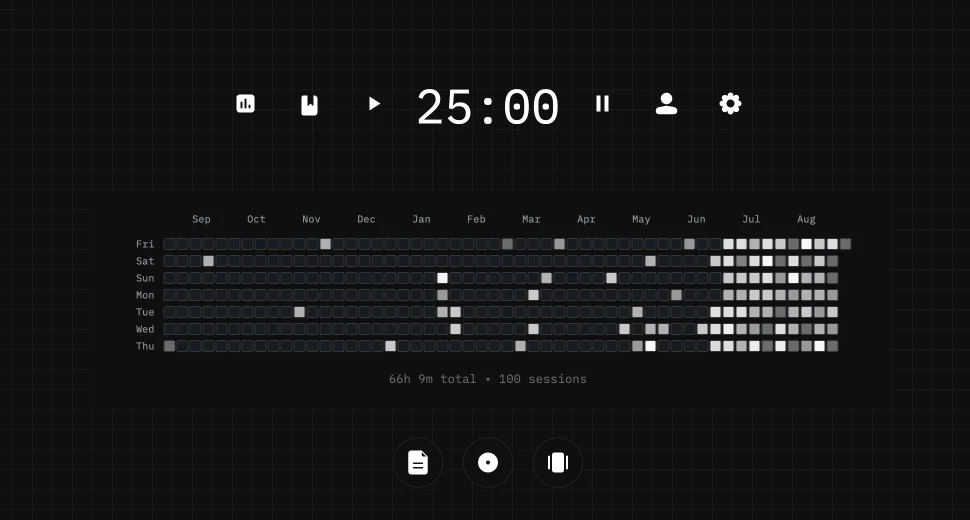
The countdown runs from your device clock, so it stays accurate in a background tab, but this page does not save finished sessions. In Stuon, each one goes into a study log and counts toward your streak and heatmap. See the study tracker and study heatmap.
Not for most students working on one task. If attention drops well before the end, use a 30-minute timer and build up. Take a 10-minute break afterwards.
Three or four, with proper breaks, makes a solid study day for most people. More is possible close to exams, but quality falls quickly when the breaks disappear.
Yes. It calculates the remaining time from your device clock, so the countdown is accurate when you return. Mobile browsers can pause background pages, so keep the page open when possible.
No. This page runs the countdown without an account and stores nothing. Use Stuon when you want sessions saved to a log, streak and heatmap.
This page does not store anything. In Stuon every session is logged and added to your streak and heatmap.
Save your study sessionsAdd to Chrome, freeor use the free version without an account
Stuon Pro
Finish the timer here, then bring the session into Stuon. Pro adds active study modes, cloud sync, analytics, goals, projects, and richer progress tracking.
Review with active recall and keep your practice inside the same study workspace.
Write everything you remember, expose the gaps, and review the topic again.
Sketch diagrams, maps, and visual explanations without leaving your focus session.
Stuon Pro · lifetime
Unlock Flashcards, Blurting, Drawing, analytics, cloud sync, goals, projects, and Pro focus modes.