free study tool
First letter memorization tool
how does first letter memorization work?
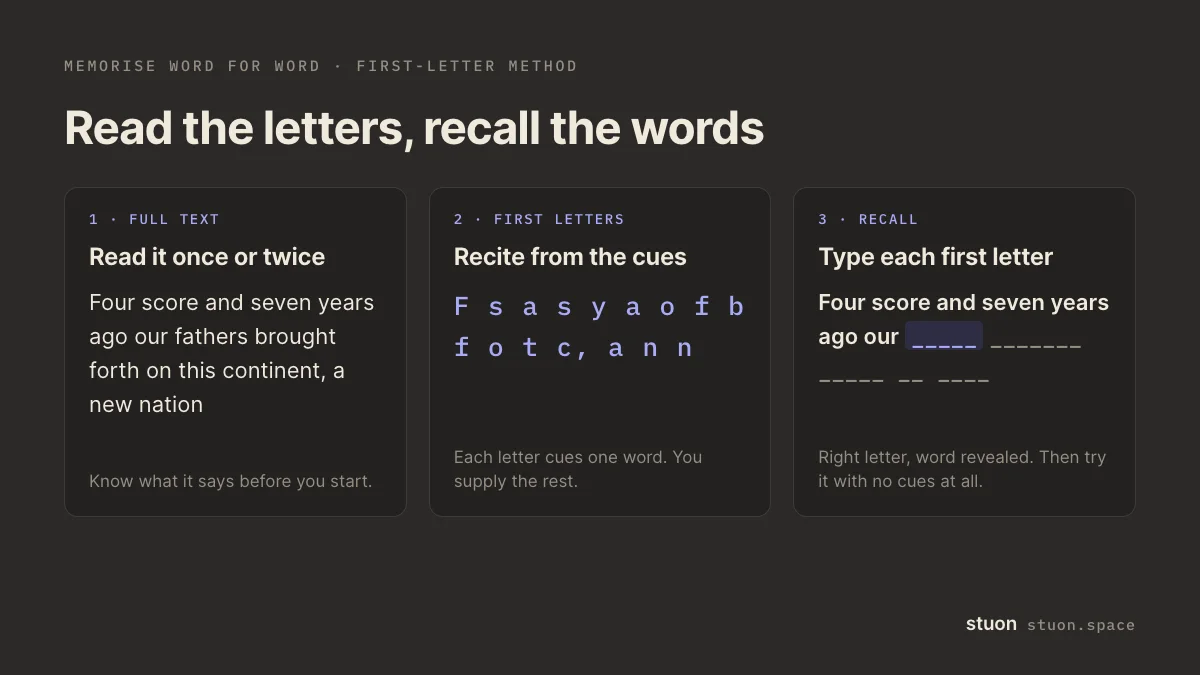
You replace each word of a text with its first letter, so "Four score and seven years ago" becomes "F s a s y a". Reading the letters, you have to recall every full word yourself. The letters are enough of a cue to keep you on track, and little enough that the work of remembering stays with you.
by Vusal Imranli updated 10 Oct 20264 min read
first letters
Your first letters appear here.
practice
Your text stays in this page. Nothing is uploaded or stored.
use this result
Keep a focus timer and site blocker in your Chrome toolbar.Add to Chrome, free
How to use the tool
- Paste the text. A speech, a poem, a script, a legal definition or any passage you need word for word. The letters update as you type.
- Read the full text once or twice. You need to know what it says before the letters can remind you of it.
- Recite from the letters. Read the letter version aloud and say each full word. Where you stall, look at the original, then go back to the letters.
- Practise word by word. Press Practise. The words are hidden; type the first letter of the next word to reveal it. A wrong letter marks the word in red. Show the next word gives you one word as a hint and counts it as missed.
- Finish without letters. When the letters feel easy, say the whole text from a blank page. That is the test that matches the real speech or exam.
Why first letters help
The letters work as a cue. A blank page gives you nothing to start from, and the full text gives you everything, so you only read. The first letter of each word sits between the two: you still have to produce the word, but you rarely lose your place.
That makes it a form of active recall. Each pass is a small test, and practice in recalling material helps you remember it later better than reading it again, as found in the retrieval practice research (Roediger and Karpicke, 2006).
The method is common among actors, people who memorise religious texts and students learning definitions. It is different from an acronym, which compresses a list into one word. For lists, the acronym generator is the better fit.
Tips for long texts
- Learn in chunks of two to four sentences. Add the next chunk only when the first one runs smoothly.
- Keep punctuation on. Commas and full stops show where to pause, which helps with speeches.
- Say it aloud. Speaking engages more of the text than reading in your head, and it is how you will deliver a speech.
- Come back the next day. A pass after a gap shows what stuck. The spaced repetition schedule generator plans the gaps for you.
- Use the cloze deletion generator for texts where only key terms matter, such as definitions in a textbook.
Frequently asked questions
How do I memorise a speech quickly?
Read it through, then learn it in short chunks with the first-letter version, saying each word aloud. Recite the whole speech from memory at the end of each session, and again the next day.
Does it work in other languages?
Yes. The tool takes the first letter of each word in any alphabet, including accented letters. Scripts without spaces between words, such as Chinese, are not split into words.
What counts as a word?
Letters and digits, with apostrophes and hyphens inside a word kept together. "It's" becomes "I" and "well-known" becomes "w".
Is my text uploaded?
No. The tool runs in your browser. Nothing you type is sent anywhere, and anything saved stays in this browser only.
Sources
Related pages
Turn studying into a game
Stuon logs your sessions, builds your streak and draws your heatmap, so progress stays visible.
Continue in StuonAdd to Chrome, freeor use the free version without an account