glossary
Website blocker: definition
what is a website blocker?
A website blocker is a browser extension or app that stops chosen websites from loading, either all the time, on a schedule, or during a focus session. Students use them to remove easy distractions such as social media and video sites while they study.
by Vusal Imranli updated 14 Nov 20262 min read
also called site blocker, distraction blocker
Definition and example
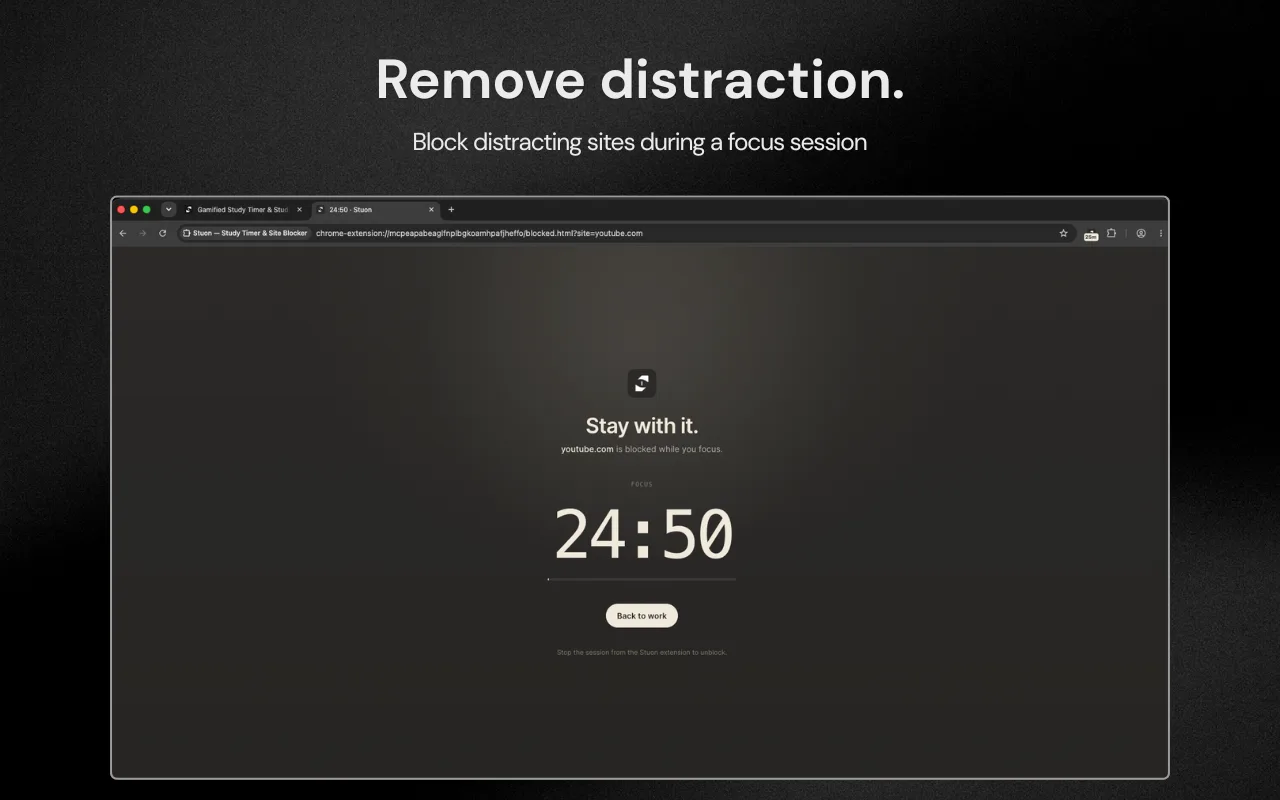
A student adds youtube.com and instagram.com to a blocker and starts a 50-minute study block. If they open either site, they see a blocked page instead, until the block ends.
Common types
- Session-based: blocks only while a focus timer runs, as in the Stuon extension.
- Schedule-based: blocks on set days and hours.
- Allowance-based: allows a fixed number of minutes per day or hour, then blocks.
- Locked: cannot be switched off easily, as in strict mode.
How a browser blocker works
A blocker extension checks each page address before it loads. If the address matches an entry on your list, it shows a blocked page or redirects you. Lists usually match whole domains, so blocking youtube.com also blocks every video page on it. Some blockers can block a single path or allow one site while blocking the rest, which is useful when a course uses one video channel.
Because the blocker runs inside the browser, it does not affect other browsers on the same computer or apps on a phone.
A common misconception
A blocker does not create focus by itself. It removes the easiest distraction, but a study block still needs one clear task. Students who block sites without choosing a task often switch to another unblocked site. Pair the blocker with a timed session and a written goal for that session.
Full guide: How to block websites while studying. Pick the sites that cost you the most time, choose a block mode, and tie blocking to your focus sessions.
Frequently asked questions
Can a website blocker be bypassed?
Usually, by disabling the extension or using another browser. Strict modes make that harder by locking the list until the session ends.
Is a website blocker the same as parental controls?
No. A study blocker is set by you, for yourself. Parental controls are set by someone else.
Does a website blocker work on phone apps?
A browser extension does not. Phone apps need a separate app blocker.
Related terms and guides
Add Stuon to Chrome
Start a focus session from the toolbar, block the sites that pull you away, and watch every session land on your Stuon heatmap.