Flashcards
Review with active recall and keep your practice inside the same study workspace.
Settings
Keep a focus timer and site blocker in your Chrome toolbar.Add to Chrome, free
homework timer
how do you use a timer for homework?
List every assignment, estimate how many 30-minute blocks each needs, and start with the one that is hardest or due soonest. Give each block a single target, such as one worksheet section, and start the timer. When it ends, tick off what is done, take a short break and move to the next target.
by Vusal Imranli updated 14 Nov 20263 min read
Spend the first three minutes writing every piece of homework with its due date and a rough number of blocks: one for a short worksheet, two or three for an essay draft. The list stops you from choosing the easiest task by default and shows whether the evening is realistic. For larger projects with a deadline weeks away, the assignment deadline calculator works out how much time each day needs.
Write the target before pressing Start: "questions 1 to 8", "introduction paragraph", "label the diagram". If you finish early, check the work rather than starting a new subject with five minutes left. If you get stuck on one question for more than five minutes, mark it, move on and return at the end or ask a teacher the next day.
For homework that is mostly reading, the reading timer adds a recall step that makes the reading stick.
A typical school evening might be three 30-minute blocks with 5-minute breaks, which is about 1 hour 40 minutes in total. Put the phone in another room for the whole session, not just the blocks. Over a week, logging each block in a study time tracker shows how long homework really takes, which makes the next estimate better.
Thirty minutes per block works for most school homework. Younger students may prefer 15 to 20, and long essays may need 45-minute blocks.
Anything due tomorrow first, then the hardest task while your energy is highest. Easy tasks fit the end of the session.
Take the break anyway, then start another block on the same task. Note that it needed an extra block so tomorrow's plan is more accurate.
Yes. A visible countdown can help agree on work time and break time without constant reminders.
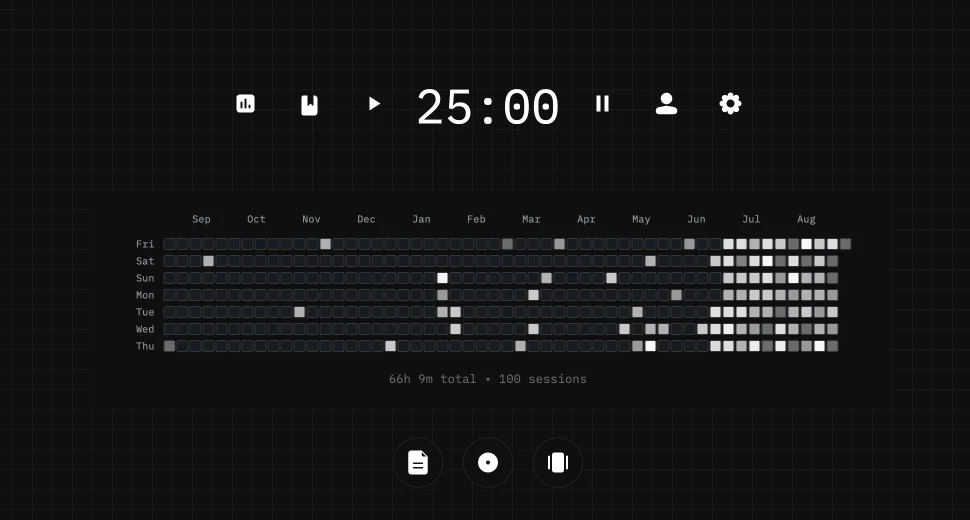
This page does not store anything. In Stuon every session is logged and added to your streak and heatmap.
Save your study sessionsAdd to Chrome, freeor use the free version without an account
Stuon Pro
Finish the timer here, then bring the session into Stuon. Pro adds active study modes, cloud sync, analytics, goals, projects, and richer progress tracking.
Review with active recall and keep your practice inside the same study workspace.
Write everything you remember, expose the gaps, and review the topic again.
Sketch diagrams, maps, and visual explanations without leaving your focus session.
Stuon Pro · lifetime
Unlock Flashcards, Blurting, Drawing, analytics, cloud sync, goals, projects, and Pro focus modes.