guide
How to block social media while studying
how do you block social media while studying?
Add each network's domain to a Chrome site blocker, such as instagram.com, tiktok.com, reddit.com, x.com and facebook.com, and set it to block while your study timer runs. Use strict mode for the feed you always reopen. A browser extension only covers Chrome, so the phone apps need a separate plan.
by Vusal Imranli updated 14 Nov 20265 min read
Block the feeds in five minutes
- Open Site blocker. In the Stuon extension, click Site blocker under the timer. The Suggestions row already lists Instagram, TikTok, X, Reddit and Facebook.
- Tap the networks you use. Each suggestion you tap moves onto your list with its site icon. Type any other network, such as pinterest.com or threads.net, and press Add.
- Pick the mode per habit. Focus mode closes the list only during focus blocks. If one feed wins even during breaks, use Always or Strict instead.
- Check the switch. The switch beside Site blocker must be on. The row under the name shows how many sites are on the list and whether they are blocked right now.
- Start a session. Press play. Any tab already showing a feed changes to the Stuon blocked page straight away.
Which domain covers which app
| Network | Add this | Notes |
|---|---|---|
| instagram.com | Covers the feed, Reels, Stories and direct messages on the web. | |
| TikTok | tiktok.com | Covers the For You page and every video link that opens in Chrome. |
| reddit.com | Subdomains such as old.reddit.com are covered too. | |
| X | x.com | Old twitter.com links redirect to x.com, so they reach the blocked page too. |
| facebook.com | Covers m.facebook.com. Messenger on the web lives at messenger.com, a separate entry. |
The blocker matches a domain and all its subdomains. It cannot block one part of a site, such as Reels only or a single subreddit. Typing a full address saves just its domain.
Why social media is harder to resist than other sites
A feed has no natural end. A search or a lecture video finishes; a scroll does not, so "one minute" has no point where it stops. Checking is also fast: one keyboard shortcut and a few letters of the address. Blocking turns that quick reflex into a dead end, a page that shows the minutes left in your focus block and a button back to work.
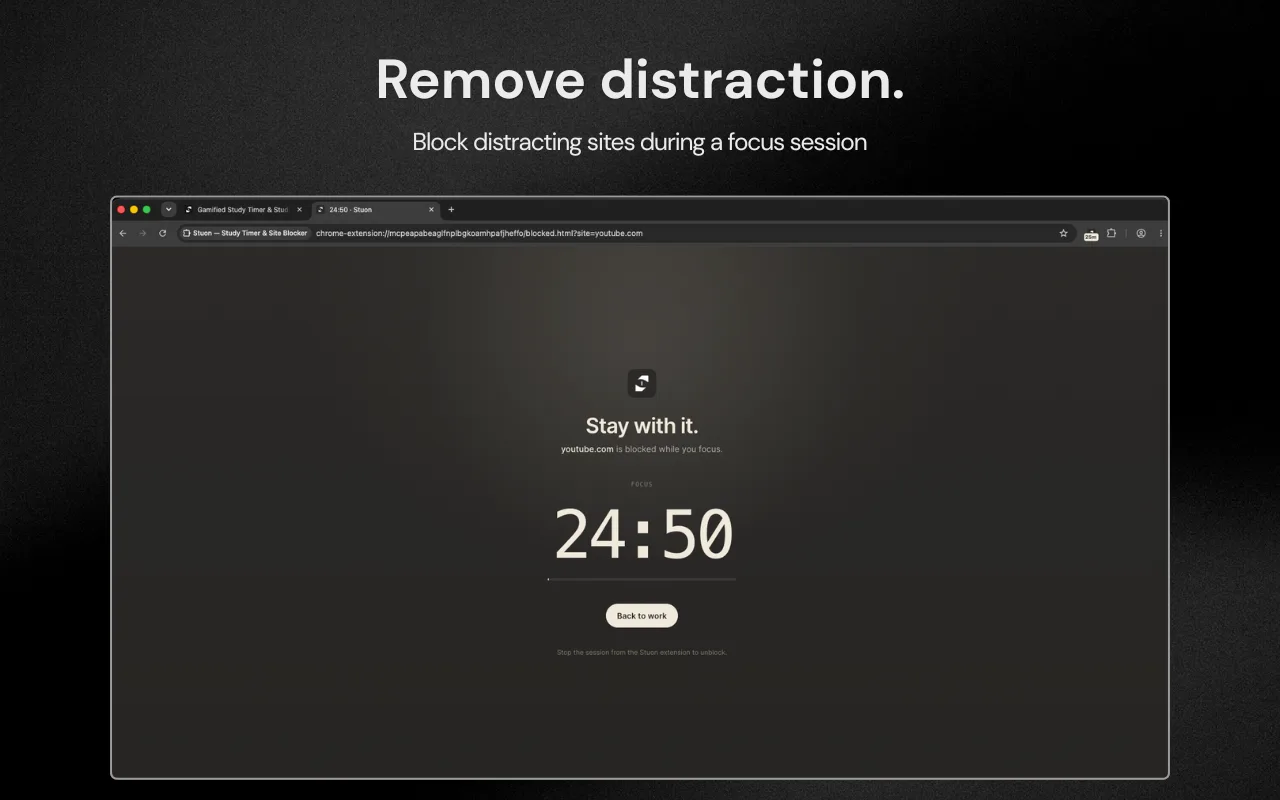
Messages are the other pull. If you worry about missing something important, tell friends when your study block ends, or check messages in the break. Focus mode reopens every site on your list the moment a break starts.
What a Chrome blocker cannot do
- It cannot block phone apps. Instagram or TikTok on your phone is untouched. Put the phone in another room, or use a phone app blocker. See Stuon vs Forest for one option.
- It only works in Chrome. Another browser on the same laptop is not covered.
- Incognito windows need permission. Chrome turns extensions off in Incognito unless you allow it on the extension's details page.
- Embedded posts still show. Blocking stops you opening a site in a tab. A post embedded in a news article can still appear.
- Desktop apps are not covered. If you use a desktop app for a network, quit it before you start.
A plan for the week
- Days 1 to 3: Focus mode for all your networks. Notice which one you try to open most.
- Day 4: move that one to strict mode, or set the whole list to Always for the hours you study.
- End of the week: open your study heatmap and compare the hours with the week before.
- Keep a paper note for things you want to post or look up, and deal with them after the session.
If the urge to scroll keeps winning, the problem may be the task, not the feed. A vague goal like "revise biology" makes any distraction look better. Pick one concrete task, as in how to stop fake studying.
Frequently asked questions
Can I block Instagram but still use Instagram messages?
Not in Chrome with Stuon. Messages are part of instagram.com, so blocking the domain blocks both. Check messages in your break instead.
Can I block only one subreddit?
No. The Stuon blocker works on whole domains, so reddit.com blocks all of Reddit, including subdomains.
Will my friends know I blocked them?
No. The blocker only changes what opens in your own Chrome. Nothing is sent to the social network.
How do I stop scrolling on my phone while I study?
A Chrome extension cannot reach the phone. Keep it out of reach, turn on a phone focus mode, or use a phone app that blocks apps.
Which mode should I use for social media?
Start with Focus, so feeds open in breaks. Use strict mode for a feed you keep unblocking.
Related pages
Add Stuon to Chrome
Start a focus session from the toolbar, block the sites that pull you away, and watch every session land on your Stuon heatmap.