comparison
Stuon Chrome extension vs Stuon web app
which one should you use?
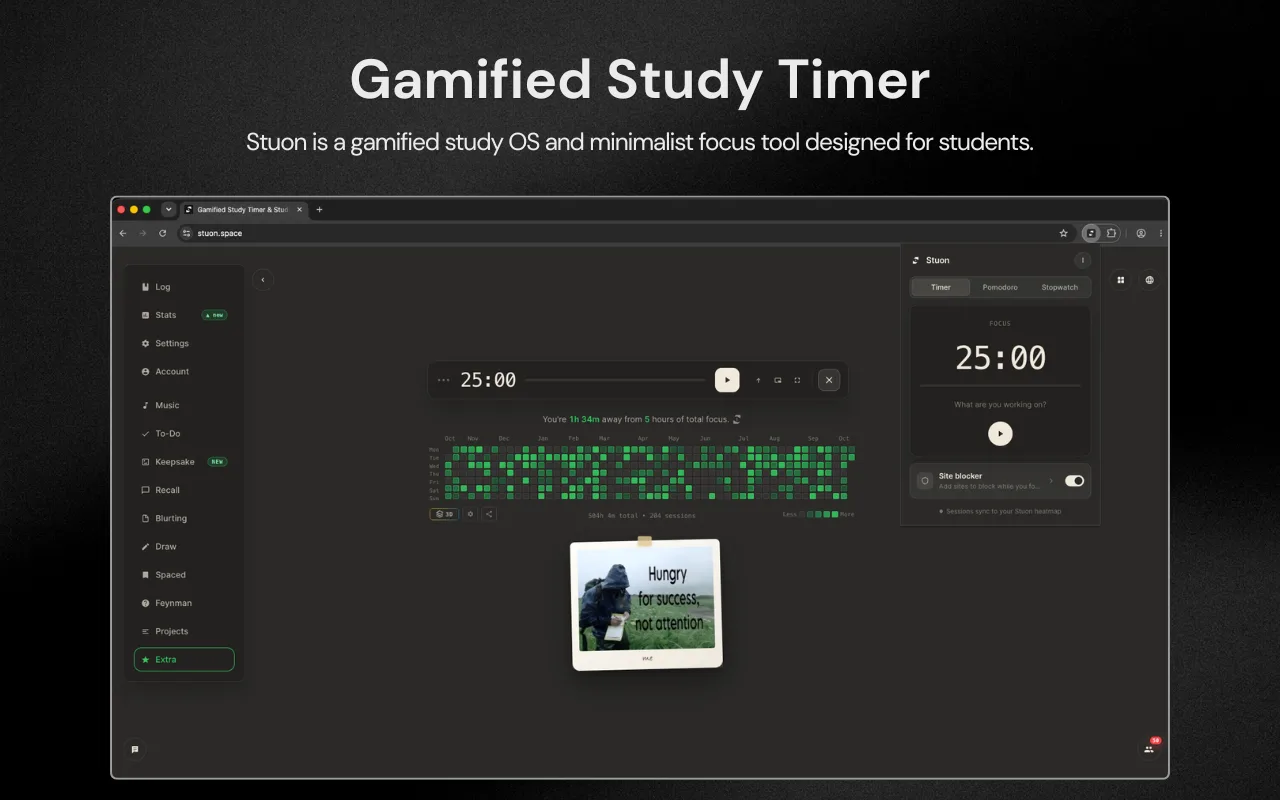
Use the extension to start sessions fast and block distracting sites. Use the web app to see your heatmap, streaks and analytics, and for study tools such as flashcards, blurting and music. They share one account, so sessions from either one appear in the same place.
by Vusal Imranli updated 14 Nov 20263 min read
Side-by-side comparison
| Criteria | Chrome extension | Web app |
|---|---|---|
| Timer modes | Timer, Pomodoro, Stopwatch | Timer, Pomodoro and more focus modes, plus a large timer view |
| Site blocking | Yes: focus, always and strict modes | No |
| Runs with no Stuon tab open | Yes | No. It runs in a tab. |
| Heatmap and streak | Saves sessions to them | Shows them |
| Analytics | No | Yes: trends, patterns, projects, records |
| Study tools | No | Flashcards, spaced repetition, blurting, Feynman, drawing |
| Music and themes | Light or dark theme from your settings | Music, worlds and themes |
| Account | Needs a Stuon account | Free version works without one |
| Platforms | Chrome on desktop | Any modern browser, including mobile |
Use the extension when
- You want to start a session in one click from any tab.
- Websites are your main distraction. See how to block websites while studying.
- You want the time left visible in the toolbar while you work in other tabs.
Use the web app when
- You want to review progress on the study heatmap and in Analytics.
- You are practising with spaced repetition, blurting or flashcards.
- You study on a phone or tablet.
- You want game modes, music or the large timer on a second screen.
Using both together
A common setup: start sessions from the extension with blocking on, and open the web app once a day to check the heatmap and once a week for Analytics. Because timer lengths come from your Stuon settings, a 50-minute Pomodoro set in the web app is the same 50 minutes in the extension.
Which one should you choose?
Choose the extension if
- You study in Chrome on a laptop.
- You want sites blocked during focus.
- You want the fastest way to start.
Choose the web app if
- You want analytics and study tools.
- You study on mobile.
- You want to try Stuon without an account.
Frequently asked questions
Do I need both?
No. Either one records sessions. Most people who study in Chrome use both: the extension to start, the web app to review.
Will a session be counted twice?
No. Each session is saved once, by whichever one timed it.
Does the extension need Stuon Pro?
The extension is free to install. Some web app features, such as game modes and some focus modes, are part of Pro.
Related pages
Add Stuon to Chrome
Start a focus session from the toolbar, block the sites that pull you away, and watch every session land on your Stuon heatmap.